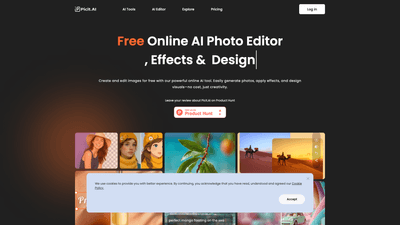
What is it
Picit AI is a free online AI photo editor, effects and design tool that lets you create and edit images in seconds. Built as a comprehensive AI image generator and editor, it enables you to turn ideas into vivid, lifelike visuals—perfect for social posts, marketing materials, event posters, school projects, and creative experiments. Users can type a prompt to generate images or upload a photo to use as a prompt, with a claim of no usage limits to explore ideas freely. The platform highlights its capability to process and enhance a wide range of visuals, from portrait headshots to product photos, all within a single, powerful online toolkit. Key figures on the platform include over 7.2 million user visits and more than 16 million images processed, underscoring its popularity and trust among creators, designers, and marketers.
Features
Picit AI consolidates multiple essential image tools into one accessible platform. Core features include:
- AI Image Generator
- Create new visuals from text prompts or by using an uploaded image as a starting point. The generator emphasizes speed, quality, and creative freedom, making it suitable for social media graphics, posters, banners, and concept art.
- AI Portrait / Headshot Generator
- Produce clean, high-quality portrait headshots for professional profiles, resumes, LinkedIn, or branding. Multiple style options and background choices help tailor the output to fit a specific look or brand.
- AI Filter
- Apply smart, high-quality filters to selfies, product photos, or any image. Offers bold, classic, and creative looks without requiring app installations—just upload, choose, and apply.
- Image Upscaler
- Improve image resolution up to 2K quality online. This tool is designed for fast enhancements of portraits, product photos, and prints, with no sign-up required for quick uses.
- Background Remover
- Remove backgrounds in seconds and replace them with green screen, plain white, or black backgrounds. The tool also outputs a high-quality transparent PNG, ideal for product photos, resumes, and social media.
- Remove Watermark
- A smart, free watermark removal tool that cleans up photos quickly, helping restore old images or prepare visuals for professional use.
- Image Enhancer
- Sharpen and clarify images, fix blur, and improve overall quality to produce crisper, more professional results.
- All-in-One Platform
- The tools work together seamlessly, enabling users to generate, edit, and polish images without needing multiple apps or software.
These features are designed to serve a broad audience—from designers and marketers to students and hobbyists—while keeping the workflow intuitive and fast.
How to Use
Getting started with Picit AI is straightforward:
-
Access Picit AI’s online editor
- Visit the site and choose the tool you need (Image Generator, Portrait/Headshot, Filter, Upscaler, Background Remover, Watermark Remover, or Enhancer).
-
Create or prep your image
- For generation: type a prompt to generate a new image, or upload a photo to use as a prompt.
- For editing: upload your image to apply filters, remove backgrounds, or enhance quality.
-
Customize and apply
- Select your preferred style, background, or output settings. Use the background options to replace or clean up the image, and apply filters or enhancements as needed.
-
Download and export
- Save the result to your device. If you used the background remover, you can download a transparent PNG version as well.
Pricing: Picit AI positions itself as a free online tool, with “Try For Free” options widely advertised. While the site indicates free usage for many capabilities (including the upscaler and other editors), it also provides a Pricing section for potential upgrades. For up-to-date details on exact tiers, limits, and any paid features, refer to the official Pricing page on the site.
Practical notes:
- The platform emphasizes no installation required, quick processing, and immediate results—making it suitable for fast-paced workflows.
- The Mix-and-match approach (generate, filter, upscale, remove backgrounds, and remove watermarks) supports diverse use cases from social media posts to professional headshots.
Pricing
Picit AI markets a free-to-use model with a “Try For Free” approach, making core features accessible at no cost. For users seeking additional capabilities, higher limits, or premium features, the Pricing page on the site outlines available paid plans. If you’re evaluating suitability for ongoing or heavier use (e.g., frequent image generation, bulk edits, or export options), checking the pricing tier that best fits your needs is recommended.
Tips
- Start with a strong prompt: clear, descriptive prompts yield more relevant AI-generated images. Mention style (photorealistic, illustrated, cinematic), color palette, lighting, and mood to guide the generator.
- Use upload-as-prompt strategically: feeding a photo as a starting point can help the AI create variations that align with your branding or project theme.
- Combine tools for best results: generate an image, then apply AI filters, upscale, and finalize with background removal or watermark removal for clean, professional visuals.
- Prepare for social media: export outputs with appropriate dimensions and consider exporting transparent backgrounds for versatile post designs.
- Leverage headshots and portraits for branding: high-quality AI headshots can boost professional profiles and resume visuals without a studio session.
- Consider accessibility and licensing: review usage rights for generated images and ensure accessibility considerations (contrast, readability) in your designs.
Frequently Asked Questions
-
What is Picit AI?
- Picit AI is a free online AI photo editor, image generator, and design tool that combines AI image generation, portrait creation, filters, background removal, watermark removal, upscaling, and enhancement in one platform.
-
How can I get started with Picit AI?
- Visit the site, choose a tool, and either generate an image from a prompt or upload an image to edit. You can typically start for free and explore the platform’s core features.
-
Is Picit AI free to use?
- Yes, Picit AI offers a free tier and “Try For Free” options. For advanced features or higher usage limits, check the official Pricing page for available paid plans.
-
Do I need any technical skills to use Picit AI?
- No. The interface is designed to be intuitive for both beginners and professionals. Most tasks require only a prompt input or a straightforward upload and selection of options.
-
Is it safe to use Picit AI to edit images?
- Picit AI emphasizes ease of use and accessibility. For privacy and safety, users should review the platform’s privacy policy and terms of service on the official site.
-
Can I export high-quality outputs with a transparent background?
- Yes. The Background Remover tool supports exporting results with a transparent background, suitable for posters, product photos, and branding assets.
-
What kinds of use cases work best with Picit AI?
- Social media visuals, marketing graphics, event posters, product photos, professional headshots, resumes, design experiments, school projects, and quick creative ideation.
-
Do I need software installation or advanced hardware?
- No installation is required. It’s a fully online solution accessible from web browsers, with outputs optimized for common design and marketing workflows.
-
Are there any limits on generations or edits on the free plan?
- The site advertises free usage and no installation, but exact limits may depend on the current pricing tier and terms. Check the Pricing page for the latest details.
-
Can I use Picit AI for commercial projects?
- The platform supports professional and creative uses, including branding and marketing visuals. Always review licensing and usage terms on the site to ensure compliance for commercial campaigns.
This detailed overview highlights Picit AI’s unique value: a single, user-friendly platform that combines powerful AI image generation, professional portrait capabilities, editing convenience, and essential post-production tools—free to start, with scalable options for expanded needs. It’s especially suited for designers, marketers, students, and creators seeking fast, high-quality visuals without software installs or complex workflows.