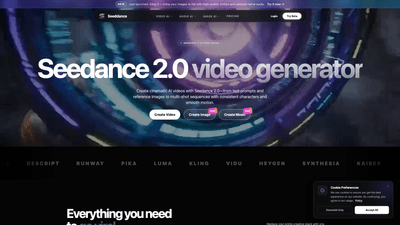
What is Seedance 2.0
Seedance 2.0 is a next-generation AI video model designed to transform text prompts and visual references into cinematic, high-quality videos with strong motion coherence and multi-shot consistency. Built to power social videos, ads, and storytelling, Seedance 2.0 enables creators to generate videos from text, convert images into dynamic clips, and orchestrate multi-scene narratives that maintain consistent characters, styles, and motion across shots. As part of an expanding ecosystem that includes Kling 3.0, Grok Imagine Video, Vidu Q3, and related AI tools, Seedance 2.0 provides a comprehensive platform for turning ideas into engaging multimedia quickly and efficiently.
What you get is a single, intelligent platform that combines video generation, image-to-video, audio production, and style control—all aimed at helping you go viral with polished, publish-ready content. Seedance 2.0 powers cinematic motion from prompts and references, with support for image and audio workflows that align with your creative vision.
Features
-
Seedance 2.0 Video Generator
- Create cinematic, high-definition videos from text prompts and reference images.
- Achieve motion coherence and multi-shot consistency across scenes.
- Generate variations from image references and assemble multi-shot sequences with consistent characters and style.
-
AI Image Generator
- Use reference images and keyframes to steer Seedance 2.0 scenes.
- Control style, lighting, and composition to align with your brand or vision.
-
AI Audio Generator
- Text-to-music, voice cloning, and SFX to pair with Seedance 2.0 videos.
- Seamlessly synchronize audio with video timelines for a cohesive final product.
-
Comprehensive Toolset
- Image to Video, Text to Video, Video to Video, Video to Audio, Audio to Video, Image to Music, Text to Image, and more within a single platform.
- Flexible workflows: transform prompts and images into cinematic sequences, then refine with visuals and sound.
-
Production Quality and Safety
- High motion quality and consistent character design across scenes.
- Content safety framework to enable creative exploration while enforcing allowed usage.
-
Data Privacy and Control
- Uploads are encrypted in transit; clear privacy policy guidance.
- You control what you publish or share.
-
Accessibility and Trials
- Free tier available for core features to explore Seedance 2.0 capabilities.
- Paid plans unlock higher resolutions, longer generations, batch processing, and priority queues.
How to Use
-
Get started and access Seedance 2.0
- Sign up to access Seedance 2.0’s video generator, along with accompanying AI tools for images and audio.
-
Build your scene with prompts and references
- Input text prompts to describe the scene, actions, and mood.
- Upload reference images or seed visuals to guide character design, style, and motion.
- Use keyframes and style controls to steer transitions and camera motion across shots.
-
Generate, review, and refine
- Run generations to produce cinematic videos. Review results and iterate prompts, references, and keyframes to tighten motion and styling.
- Create multi-shot sequences with consistent characters and evolving narratives.
-
Add audio and finalize
- Use the AI Audio Generator to produce music, voice overs, or sound effects. Sync audio with video timing for a polished product.
- Export final videos (and any accompanying audio) for social, ads, or storytelling use.
-
Pricing and access
- Start with the free tier for core features to prototype your project.
- Upgrade to paid plans for higher resolutions, longer generations, batch runs, and priority processing, depending on your needs and usage.
-
Publish or iterate
- Download finalized videos for publishing, or continue refining scenes, audio, and styles to scale your content library.
Practical workflows
- Text-to-video with reference imagery for consistent characters across scenes.
- Image-to-video to turn moments or concepts into cinematic clips.
- Audio-to-video synergy with music and voice cloning for on-brand storytelling.
- Multi-shot storytelling with seamless transitions and cohesive visual style.
Pricing
- Free Tier: Access core Seedance 2.0 features to experiment with text-to-video, image-to-video, and basic audio capabilities.
- Paid Plans: Unlock higher resolutions, longer generation times, batch processing, and priority queues. Commercial use rights typically depend on the selected plan and terms, with broader usage granted to paid subscribers.
Notes on licensing and usage
- Commercial use is plan-dependent. Paid subscribers typically receive broader rights, while free-tier use is more limited to personal and non-commercial projects.
- Data handling adheres to a stated privacy policy, with encryption in transit and user control over published or shared content.
Tips
-
Start with clear prompts and strong visual anchors
- Write detailed prompts and define the mood, lighting, camera angle, and timing to guide Seedance 2.0 toward your intended look.
-
Leverage reference images and keyframes
- Use image references to establish character design and style. Add keyframes to ensure consistent motion and transitions across scenes.
-
Plan multi-shot storytelling
- Outline scenes in sequence, specify characters and recurring motifs, and design shot-by-shot progressions to maintain continuity.
-
Optimize audio for impact
- Generate tailored music tracks, voice overlays, and SFX that align with scene pacing and emotional beats.
-
Consider licensing and rights
- Ensure you have the rights to any uploaded content and that your intended commercial uses align with your plan terms.
-
Experiment with style control
- Use style settings to maintain a cohesive aesthetic across scenes and to match brand guidelines.
-
Monitor generation times
- Understand that video generation typically takes longer (minutes) than still images (seconds) or audio (under a minute), with durations varying by workload and plan.
-
Safety and compliance
- Follow the platform’s content policy to avoid prohibited material, and ensure all uploaded assets have the proper rights for your project.
Frequently Asked Questions
-
What is Seedance 2.0?
- Seedance 2.0 is a next-gen AI video model that generates high-quality videos from text prompts and reference images, with strong motion coherence and multi-shot consistency. It supports text-to-video, image-to-video, and audio enhancement workflows, integrated with AI image and audio generators.
-
Is Seedance 2.0 free to try?
- Yes, there is a free tier for core features. Paid plans unlock higher resolutions, longer generations, batch processing, and priority queues.
-
Can I use generated content commercially?
- Commercial use depends on your plan and terms. Paid subscribers generally receive broader usage rights; free users are typically limited to personal and non-commercial use. Review the licensing terms in your plan details for specifics.
-
How do you protect my data?
- Uploads are encrypted in transit. Data handling follows the platform’s privacy policy, and you control what you publish or share.
-
What can I create with Seedance 2.0?
- You can create cinematic videos from text prompts, generate video variations from image references, and build multi-shot sequences with consistent characters and style. You can also add AI-generated audio and effects to complement visuals.
-
How fast is generation?
- Video generation generally takes minutes, image generation takes seconds, and audio generation can be under a minute. Exact timings depend on workload and your plan.
-
How does content safety work?
- Seedance 2.0 enforces a content policy to balance creative flexibility with safety. Illegal content is prohibited, and you must have rights to uploaded or referenced content.
-
How can I get started or get support?
- Sign up to access Seedance 2.0, explore its video, image, and audio tools, and contact support if you have questions or need assistance.
If you’re looking to turn ideas into viral-grade visual stories, Seedance 2.0 offers an integrated, AI-powered workflow for text-to-video, image-to-video, and multi-shot storytelling—with optional audio to elevate your productions. Whether you’re creating social videos, ads, or cinematic clips, Seedance 2.0 provides the core capabilities, flexible pricing, and practical guidance to bring your imagination to life.